
Lesson type
Difficulty level

Course:
This presentation by the OHBM OpenScienceSIG covers common scenarios where Git can be extremely valuable. The essentials covered include cloning a repository and keeping it up to date, how to create and use your own repository, and how to contribute to other projects via forking and pull requests.
Difficulty level: Beginner
Duration: 51:55
Speaker: : Saskia Bollmann, Steffen Bollmann

Course:
DataLad is a versatile data management and data publication multi-tool. In this session, you can learn the basic concepts and commands for version control and reproducible data analysis. You’ll get to see, create, and install DataLad datasets of many shapes and sizes, master local version workflows and provenance-captured analysis-execution, and you will get ideas for your next data analysis project.
Difficulty level: Beginner
Duration: 01:29:08
Speaker: : Adina Wagner

Course:
Overview of the content for Day 1 of this course.
Difficulty level: Beginner
Duration: 00:01:59
Speaker: : Tristan Shuman

Course:
Overview of Day 2 of this course.
Difficulty level: Beginner
Duration: 00:03:28
Speaker: : Tristan Shuman

Course:
Best practices: the tips and tricks on how to get your Miniscope to work and how to get your experiments off the ground.
Difficulty level: Beginner
Duration: 00:53:34

Course:
This talk compares various sensors and resolutions for in vivo neural recordings.
Difficulty level: Beginner
Duration: 00:24:03
Speaker: : Susie Feng, Zach Pennington, Caleb Kemere
Course:
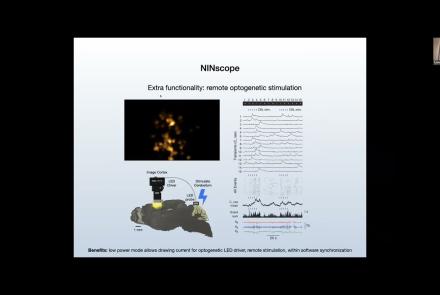
This talk delves into challenges and opportunities of Miniscope design, seeking the optimal balance between scale and function.
Difficulty level: Beginner
Duration: 00:21:51
Speaker: : Susie Feng, Zach Pennington, Tycho Hoogland

Course:
Attendees of this talk will learn aobut computational imaging systems and associated pipelines, as well as open-source software solutions supporting miniscope use.
Difficulty level: Beginner
Duration: 00:17:56
Speaker: : Susie Feng, Zach Pennington, Laura Waller

Course:
This talk covers the present state and future directions of calcium imaging data analysis, particularly in the context of one-photon vs two-photon approaches.
Difficulty level: Beginner
Duration: 00:21:06

Course:
In this talk, results from rodent experimentation using in vivo imaging are presented, demonstrating how the monitoring of neural ensembles may reveal patterns of learning during spatial tasks.
Difficulty level: Beginner
Duration: 00:19:43
Speaker: : Susie Feng, Zach Pennington, William Mau

Course:
How to start processing the raw imaging data generated with a Miniscope, including developing a usable pipeline and demoing the Minion pipeline.
Difficulty level: Beginner
Duration: 00:57:26
Speaker: : Daniel Aharoni, Phil Dong

Course:
The direction of miniature microscopes, including both MetaCell and other groups.
Difficulty level: Beginner
Duration: 00:49:16
Speaker: : Daniel Aharoni, Frederico N Sangiuliano

Course:
Overview of the content for Day 2 of this course.
Difficulty level: Beginner
Duration: 00:11:01
Speaker: : Tristan Shuman

Course:
Summary and closing remarks for this three-day course.
Difficulty level: Beginner
Duration: 00:04:56
Speaker: : Stephen Larson

Course:
This hands-on tutorial explains how to run your own Minion session in the MetaCell cloud using jupityr notebooks.
Difficulty level: Beginner
Duration: 01:28:03
Speaker: : Daniel Aharoni, Phil Dong

Course:
In this hands-on analysis tutorial, users will mimic a kernel crash and learn the steps to restore inputs in such a case.
Difficulty level: Beginner
Duration: 00:20:34
Speaker: : Phil Dong

Course:
This lesson introduces various methods in MATLAB useful for dealing with data generated by calcium imaging.
Difficulty level: Intermediate
Duration: 5:02
Speaker: : Mike X. Cohen

Course:
This lesson will go through how to extract cells from video that has been cleaned of background noise and motion.
Difficulty level: Beginner
Duration: 01:49:40
Speaker: : Phil Dong

Course:
This tutorial demonstrates how to use MATLAB to generate and visualize animations of calcium fluctuations over time.
Difficulty level: Intermediate
Duration: 15:01
Speaker: : Mike X. Cohen

Course:
This final hands-on analysis tutorial walks users through the last visualization steps in the cellular data.
Difficulty level: Beginner
Duration: 00:27:23
Speaker: : Phil Dong