
Lesson type
Difficulty level

Course:
The Mouse Phenome Database (MPD) provides access to primary experimental trait data, genotypic variation, protocols and analysis tools for mouse genetic studies. Data are contributed by investigators worldwide and represent a broad scope of phenotyping endpoints and disease-related traits in naïve mice and those exposed to drugs, environmental agents or other treatments. MPD ensures rigorous curation of phenotype data and supporting documentation using relevant ontologies and controlled vocabularies. As a repository of curated and integrated data, MPD provides a means to access/re-use baseline data, as well as allows users to identify sensitized backgrounds for making new mouse models with genome editing technologies, analyze trait co-inheritance, benchmark assays in their own laboratories, and many other research applications. MPD’s primary source of funding is NIDA. For this reason, a majority of MPD data is neuro- and behavior-related.
Difficulty level: Beginner
Duration: 55:36
Speaker: : Elissa Chesler

This lesson gives a description of the BrainHealth Databank, a repository of many types of health-related data, whose aim is to accelerate research, improve care, and to help better understand and diagnose mental illness, as well as develop new treatments and prevention strategies.
This lesson corresponds to slides 46-78 of the PDF below.
Difficulty level: Beginner
Duration: 1:12:25
Speaker: : Joanna Yu

This lesson describes not only the need for precision medicine, but also the current state of the methods, pharmacogenetic approaches, utility and implementation of such care today.
This lesson corresponds to slides 1-50 of the PowerPoint below.
Difficulty level: Beginner
Duration: 1:24:30
Speaker: : Dan Felsky

Course:
This lecture covers the needs and challenges involved in creating a FAIR ecosystem for neuroimaging research.
Difficulty level: Beginner
Duration: 12:26
Speaker: : Camille Maumet

This lecture covers how to make modeling workflows FAIR by working through a practical example, dissecting the steps within the workflow, and detailing the tools and resources used at each step.
Difficulty level: Beginner
Duration: 15:14
Speaker: : Salvador Dura-Bernal
This lecture focuses on the structured validation process within computational neuroscience, including the tools, services, and methods involved in simulation and analysis.
Difficulty level: Beginner
Duration: 14:19
Speaker: : Michael Denker

Course:
This session provides users with an introduction to tools and resources that facilitate the implementation of FAIR in their research.
Difficulty level: Beginner
Duration: 38:36

Course:
Overview of the content for Day 1 of this course.
Difficulty level: Beginner
Duration: 00:01:59
Speaker: : Tristan Shuman

Course:
Overview of Day 2 of this course.
Difficulty level: Beginner
Duration: 00:03:28
Speaker: : Tristan Shuman

Course:
Best practices: the tips and tricks on how to get your Miniscope to work and how to get your experiments off the ground.
Difficulty level: Beginner
Duration: 00:53:34

Course:
This talk compares various sensors and resolutions for in vivo neural recordings.
Difficulty level: Beginner
Duration: 00:24:03
Speaker: : Susie Feng, Zach Pennington, Caleb Kemere
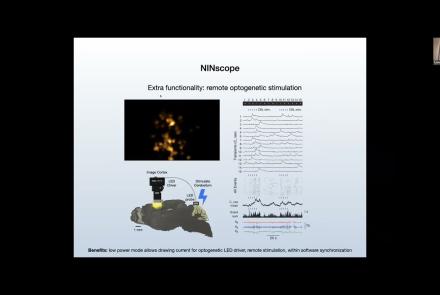
Course:
This talk delves into challenges and opportunities of Miniscope design, seeking the optimal balance between scale and function.
Difficulty level: Beginner
Duration: 00:21:51
Speaker: : Susie Feng, Zach Pennington, Tycho Hoogland

Course:
Attendees of this talk will learn aobut computational imaging systems and associated pipelines, as well as open-source software solutions supporting miniscope use.
Difficulty level: Beginner
Duration: 00:17:56
Speaker: : Susie Feng, Zach Pennington, Laura Waller

Course:
This talk covers the present state and future directions of calcium imaging data analysis, particularly in the context of one-photon vs two-photon approaches.
Difficulty level: Beginner
Duration: 00:21:06

Course:
In this talk, results from rodent experimentation using in vivo imaging are presented, demonstrating how the monitoring of neural ensembles may reveal patterns of learning during spatial tasks.
Difficulty level: Beginner
Duration: 00:19:43
Speaker: : Susie Feng, Zach Pennington, William Mau

Course:
How to start processing the raw imaging data generated with a Miniscope, including developing a usable pipeline and demoing the Minion pipeline.
Difficulty level: Beginner
Duration: 00:57:26
Speaker: : Daniel Aharoni, Phil Dong

Course:
The direction of miniature microscopes, including both MetaCell and other groups.
Difficulty level: Beginner
Duration: 00:49:16
Speaker: : Daniel Aharoni, Frederico N Sangiuliano

Course:
Overview of the content for Day 2 of this course.
Difficulty level: Beginner
Duration: 00:11:01
Speaker: : Tristan Shuman

Course:
Summary and closing remarks for this three-day course.
Difficulty level: Beginner
Duration: 00:04:56
Speaker: : Stephen Larson

Course:
This hands-on tutorial explains how to run your own Minion session in the MetaCell cloud using jupityr notebooks.
Difficulty level: Beginner
Duration: 01:28:03
Speaker: : Daniel Aharoni, Phil Dong