
Lesson type
Difficulty level

Course:
Neuronify is an educational tool meant to create intuition for how neurons and neural networks behave. You can use it to combine neurons with different connections, just like the ones we have in our brain, and explore how changes on single cells lead to behavioral changes in important networks. Neuronify is based on an integrate-and-fire model of neurons. This is one of the simplest models of neurons that exist. It focuses on the spike timing of a neuron and ignores the details of the action potential dynamics. These neurons are modeled as simple RC circuits. When the membrane potential is above a certain threshold, a spike is generated and the voltage is reset to its resting potential. This spike then signals other neurons through its synapses.
Neuronify aims to provide a low entry point to simulation-based neuroscience.
Difficulty level: Beginner
Duration: 01:25
Speaker: : Neuronify

This is a hands-on tutorial on PLINK, the open source whole genome association analysis toolset. The aims of this tutorial are to teach users how to perform basic quality control on genetic datasets, as well as to identify and understand GWAS summary statistics.
Difficulty level: Intermediate
Duration: 1:27:18
Speaker: : Dan Felsky

This is a tutorial on using the open-source software PRSice to calculate a set of polygenic risk scores (PRS) for a study sample. Users will also learn how to read PRS into R, visualize distributions, and perform basic association analyses.
Difficulty level: Intermediate
Duration: 1:53:34
Speaker: : Dan Felsky

This lesson provides a short reel on who we are, what we're doing and why we're doing it.
Difficulty level: Beginner
Duration: 2:38
Speaker: :

In this webinar, educators currently implementing collaborative annotation in their classrooms discuss their experiences with collaborative annotation and using Hythothes.is and Canvas App.
Difficulty level: Beginner
Duration: 53:14
Speaker: : Jeremy Dean

This tutorial provides an overview of how to use the feature of Hypothes.is.
Difficulty level: Beginner
Duration: 09:30
Speaker: :

This lesson gives a brief overview of the Hypothes.is functionality from an end user's perspective.
Difficulty level: Beginner
Duration: 5:36
Speaker: : Heather Staines

Course:
This video will teach you the basics of navigating the Open Science Framework and creating your first projects.
Difficulty level: Beginner
Duration: 2:11
Speaker: :

Course:
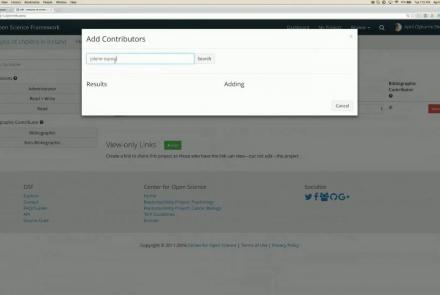
This webinar walks you through the basics of creating an OSF project, structuring it to fit your research needs, adding collaborators, and tying your favorite online tools into your project structure.
Difficulty level: Beginner
Duration: 55:02
Speaker: : Ian Sullivan
Course:
This webinar will introduce how to use the Open Science Framework (OSF) in a classroom setting.
Difficulty level: Beginner
Duration: 32:01
Speaker: : April Clyburne-Sherin

Course:
This lesson provides instruction on how to organize related projects with OSF features such as links, forks, and templates.
Difficulty level: Beginner
Duration: 51:14
Speaker: : Ian Sullivan

This webinar will introduce the integration of JASP Statistical Software with the Open Science Framework (OSF).
Difficulty level: Beginner
Duration: 30:56
Speaker: : Alexander Etz

Course:
This lesson describes the value of version control, as well as how to do so with your own files and data on OSF.
Difficulty level: Beginner
Duration: 22:07
Speaker: : Courtney Soderberg

Course:
This lecture focuses on where and how Jupyter notebooks can be used most effectively for education.
Difficulty level: Beginner
Duration: 34:53
Speaker: : Thomas Kluyver

Course:
This talk deals with Identifiers.org, a central infrastructure for findable, accessible, interoperable and re-usable (FAIR) data, which provides a range of services to promote the citability of individual data providers and integration with e-infrastructures.
Difficulty level: Beginner
Duration: 36:41
Speaker: : Sarala Wimalaratne

Course:
This lecture provides an overview of the technology and demonstration of how Hypothes.is is being used within biomedicine.
Difficulty level: Beginner
Duration: 52:06
Speaker: : Maryann Martone

This tutorial covers the fundamentals of collaborating with Git and GitHub.
Difficulty level: Intermediate
Duration: 2:15:50
Speaker: : Elizabeth DuPre

Course:
This lesson provides an overview of Jupyter notebooks, Jupyter lab, and Binder, as well as their applications within the field of neuroimaging, particularly when it comes to the writing phase of your research.
Difficulty level: Intermediate
Duration: 50:28
Speaker: : Elizabeth DuPre

Course:
The lecture provides an overview of the core skills and practical solutions required to practice reproducible research.
Difficulty level: Beginner
Duration: 1:25:17
Speaker: : Fernando Perez

Course:
This session will include presentations of infrastructure that embrace the FAIR principles developed by members of the INCF Community. This lecture provides an overview and demo of the Canadian Open Neuroscience Platform (CONP).
Difficulty level: Beginner
Duration: 14:02
Speaker: : Tristan Glatard & Samir Das