
Lesson type
Difficulty level

Course:
Neuronify is an educational tool meant to create intuition for how neurons and neural networks behave. You can use it to combine neurons with different connections, just like the ones we have in our brain, and explore how changes on single cells lead to behavioral changes in important networks. Neuronify is based on an integrate-and-fire model of neurons. This is one of the simplest models of neurons that exist. It focuses on the spike timing of a neuron and ignores the details of the action potential dynamics. These neurons are modeled as simple RC circuits. When the membrane potential is above a certain threshold, a spike is generated and the voltage is reset to its resting potential. This spike then signals other neurons through its synapses.
Neuronify aims to provide a low entry point to simulation-based neuroscience.
Difficulty level: Beginner
Duration: 01:25
Speaker: : Neuronify

This is a hands-on tutorial on PLINK, the open source whole genome association analysis toolset. The aims of this tutorial are to teach users how to perform basic quality control on genetic datasets, as well as to identify and understand GWAS summary statistics.
Difficulty level: Intermediate
Duration: 1:27:18
Speaker: : Dan Felsky

In this workshop talk, you will receive a tour of the Code Ocean ScienceOps Platform, a centralized cloud workspace for all teams.
Difficulty level: Beginner
Duration: 10:24
Speaker: : Frank Zappulla

This talk describes approaches to maintaining integrated workflows and data management schema, taking advantage of the many open source, collaborative platforms already existing.
Difficulty level: Beginner
Duration: 15:15
Speaker: : Erik C. Johnson

In this third and final hands-on tutorial from the Research Workflows for Collaborative Neuroscience workshop, you will learn about workflow orchestration using open source tools like DataJoint and Flyte.
Difficulty level: Intermediate
Duration: 22:36
Speaker: : Daniel Xenes

This lesson provides an introduction to the DataLad, a free and open source distributed data management system that keeps track of your data, creates structure, ensures reproducibility, supports collaboration, and integrates with widely used data infrastructure.
Difficulty level: Beginner
Duration: 22:56
Speaker: : Michał Szczepanik

This lesson introduces several open science tools like Docker and Apptainer which can be used to develop portable and reproducible software environments.
Difficulty level: Beginner
Duration: 17:22
Speaker: : Joanes Grandjean

This lecture provides a detailed description of how to incorporate HED annotation into your neuroimaging data pipeline.
Difficulty level: Beginner
Duration: 33:36
Speaker: : Dung Truong

This lecture describes how to build research workflows, including a demonstrate using DataJoint Elements to build data pipelines.
Difficulty level: Intermediate
Duration: 47:00
Speaker: : Dimitri Yatsenko

Course:
This video will teach you the basics of navigating the Open Science Framework and creating your first projects.
Difficulty level: Beginner
Duration: 2:11
Speaker: :

Course:
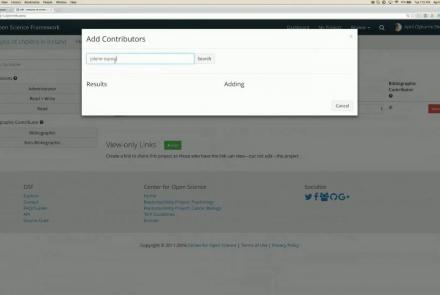
This webinar walks you through the basics of creating an OSF project, structuring it to fit your research needs, adding collaborators, and tying your favorite online tools into your project structure.
Difficulty level: Beginner
Duration: 55:02
Speaker: : Ian Sullivan
Course:
This webinar will introduce how to use the Open Science Framework (OSF) in a classroom setting.
Difficulty level: Beginner
Duration: 32:01
Speaker: : April Clyburne-Sherin

Course:
This lesson provides instruction on how to organize related projects with OSF features such as links, forks, and templates.
Difficulty level: Beginner
Duration: 51:14
Speaker: : Ian Sullivan

This webinar will introduce the integration of JASP Statistical Software with the Open Science Framework (OSF).
Difficulty level: Beginner
Duration: 30:56
Speaker: : Alexander Etz

Course:
This lesson describes the value of version control, as well as how to do so with your own files and data on OSF.
Difficulty level: Beginner
Duration: 22:07
Speaker: : Courtney Soderberg

Course:
In this tutorial, you will learn the basic features of uploading and versioning your data within OpenNeuro.org.
Difficulty level: Beginner
Duration: 5:36
Speaker: : OpenNeuro
Course:
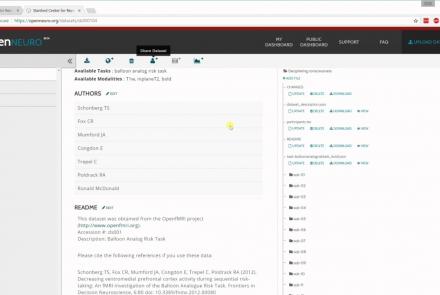
This tutorial shows how to share your data in OpenNeuro.org.
Difficulty level: Beginner
Duration: 1:22
Speaker: : OpenNeuro

Course:
Following the previous two tutorials on uploading and sharing data with OpenNeuro.org, this tutorial briefly covers how to run various analyses on your datasets.
Difficulty level: Beginner
Duration: 2:26
Speaker: : OpenNeuro

Course:
Longitudinal Online Research and Imaging System (LORIS) is a web-based data and project management software for neuroimaging research studies. It is an open source framework for storing and processing behavioural, clinical, neuroimaging and genetic data. LORIS also makes it easy to manage large datasets acquired over time in a longitudinal study, or at different locations in a large multi-site study.
Difficulty level: Beginner
Duration: 0:35
Speaker: : Samir Das

This lesson describes how DataLad allows you to track and mange both your data and analysis code, thereby facilitating reliable, reproducible, and shareable research.
Difficulty level: Intermediate
Duration: 59:34
Speaker: : Yaroslav O. Halchenko