
Lesson type
Difficulty level

This lesson continues with the second workshop on reproducible science, focusing on additional open source tools for researchers and data scientists, such as the R programming language for data science, as well as associated tools like RStudio and R Markdown. Additionally, users are introduced to Python and iPython notebooks, Google Colab, and are given hands-on tutorials on how to create a Binder environment, as well as various containers in Docker and Singularity.
Difficulty level: Beginner
Duration: 1:16:04
Speaker: : Erin Dickie and Sejal Patel

This video gives a short introduction to the EBRAINS data sharing platform, why it was developed, and how it contributes to open data sharing.
Difficulty level: Beginner
Duration: 17:32
Speaker: : Ida Aasebø

This video introduces the key principles for data organization and explains how you could make your data FAIR for data sharing on EBRAINS.
Difficulty level: Beginner
Duration: 10:54
Speaker: : Maaike van Swieten

This video introduces the importance of writing a Data Descriptor to accompany your dataset on EBRAINS. It gives concrete examples on what information to include and highlights how this makes your data more FAIR.
Difficulty level: Beginner
Duration: 9:48
Speaker: : Ingrid Reiten

This video demonstrates how to find, access, and download data on EBRAINS.
Difficulty level: Beginner
Duration: 14:27
Speaker: : Maaike van Swieten

Course:
KnowledgeSpace (KS) is a data discoverability portal and neuroscience encyclopedia that was developed to make it easier for the neuroscience community to find publicly available datasets that adhere to the FAIR Principles and to provide an integrated view of neuroscience concepts found in Wikipedia and NeuroLex linked with PubMed and 17 of the world's leading neuroscience repositories. In short, KS provides a single point of entry where reseaerchers can search for a neuroscience concept of interest and receive results that include: i. a description of the term found in Wikipedia/NeuroLex, ii. links to publicly available datasets related to the concept of interest, and iii. up-to-date references that support the concept of interests found in PubMed. APIs are available so that developers of other neuroscience research infrastructures can integrate KS components in their infrastructures. If your repository or your favorite repository is not indexed in KS, please contact us.
Difficulty level: Beginner
Duration: 6:14
Speaker: : Heather Topple

This is a hands-on tutorial on PLINK, the open source whole genome association analysis toolset. The aims of this tutorial are to teach users how to perform basic quality control on genetic datasets, as well as to identify and understand GWAS summary statistics.
Difficulty level: Intermediate
Duration: 1:27:18
Speaker: : Dan Felsky

In this third and final hands-on tutorial from the Research Workflows for Collaborative Neuroscience workshop, you will learn about workflow orchestration using open source tools like DataJoint and Flyte.
Difficulty level: Intermediate
Duration: 22:36
Speaker: : Daniel Xenes

In this hands-on session, you will learn how to explore and work with DataLad datasets, containers, and structures using Jupyter notebooks.
Difficulty level: Beginner
Duration: 58:05
Speaker: : Michał Szczepanik

Course:
This video will document the process of uploading data into a brainlife project using ezBIDS.
Difficulty level: Beginner
Duration: 6:15
Speaker: :

Course:
This short video walks you through the steps of publishing a dataset on brainlife, an open-source, free and secure reproducible neuroscience analysis platform.
Difficulty level: Beginner
Duration: 1:18
Speaker: :
Course:
This video will document the process of visualizing the provenance of each step performed to generate a data object on brainlife.
Difficulty level: Beginner
Duration: 0:21
Speaker: :

Course:
This video will document the process of downloading and running the "reproduce.sh" script, which will automatically run all of the steps to generate a data object locally on a user's machine.
Difficulty level: Beginner
Duration: 3:44
Speaker: :

Course:
This video will document the process of creating a pipeline rule for batch processing on brainlife.
Difficulty level: Intermediate
Duration: 0:57
Speaker: :

Course:
This short video shows how a brainlife.io publication can be opened from the Data Deposition page of the journal Nature Scientific Data.
Difficulty level: Beginner
Duration: 2:25
Speaker: :

Course:
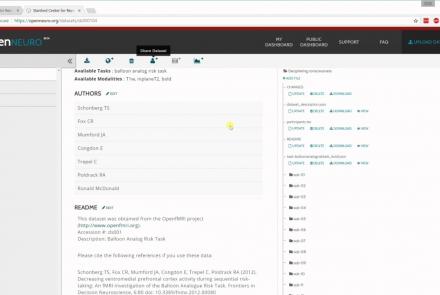
In this tutorial, you will learn the basic features of uploading and versioning your data within OpenNeuro.org.
Difficulty level: Beginner
Duration: 5:36
Speaker: : OpenNeuro
Course:
This tutorial shows how to share your data in OpenNeuro.org.
Difficulty level: Beginner
Duration: 1:22
Speaker: : OpenNeuro

Course:
Following the previous two tutorials on uploading and sharing data with OpenNeuro.org, this tutorial briefly covers how to run various analyses on your datasets.
Difficulty level: Beginner
Duration: 2:26
Speaker: : OpenNeuro

This video explains what metadata is, why it is important, and how you can organize your metadata to increase the FAIRness of your data on EBRAINS.
Difficulty level: Beginner
Duration: 17:23
Speaker: : Ulrike Schlegel

This lesson provides a hands-on tutorial for generating simulated brain data within the EBRAINS ecosystem.
Difficulty level: Beginner
Duration: 32:58
Speaker: : Jil Meier